Broken Screen: Magic Wallpaper
TAKA TECHNOLOGY VN CO., LTDPersonalization
4.148.00 Reviews
- Version
- 1.6.9
- Installs
- 5.00M
- Age Rating
- Everyone
Screenshots
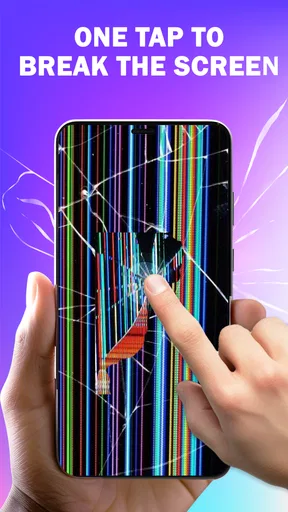
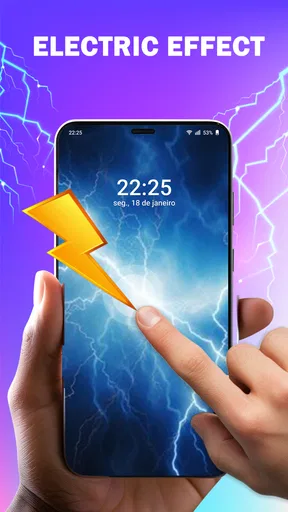
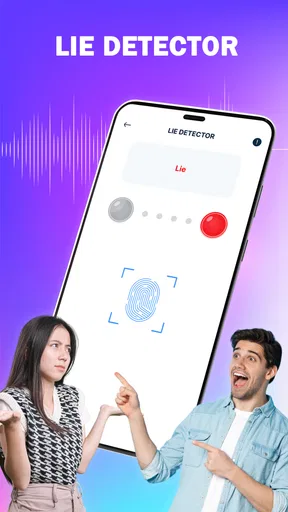
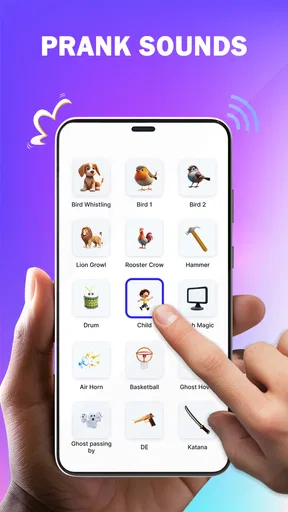
Our Review of Broken Screen: Magic Wallpaper
 Analysis by Appyee
I tried Broken Screen: Magic Wallpaper as a quick gag on a shared phone, and it works best when the people around you understand that playful pranks are welcome. The trick is simple: a simulated crack can look alarming for a moment, but that surprise should stay brief and harmless. I’d use it with friends or family who enjoy jokes, not with someone who might worry about an expensive repair or need the phone for something urgent.
A Prank for the Right Moment
In an everyday household, the best opportunity is a relaxed moment when everyone is together and the phone’s owner can reveal the joke immediately. For example, you might show the screen to a sibling during a quiet evening, let them react for a second, then explain what is happening. I would avoid using it when someone is rushing out, relying on the phone for directions, or already stressed. The laugh is not worth creating genuine worry or delaying something important.
This is a focused personalization app, not a general wallpaper library or a practical phone-maintenance tool. Its appeal is the contrast between an ordinary device and an unexpected visual effect. If your household usually changes wallpapers to match a person’s taste, this offers a very different kind of customization: temporary entertainment rather than a look you would want to keep all day.
Keep the Shared Phone in Mind
Before setting up a prank on a device that other people use, I’d make sure the person responsible for the phone is comfortable with it. A shared device can contain work messages, school information, or family photos, so a joke should not interfere with anyone’s access or make them think the phone is damaged. It is also worth agreeing on who will put the device back the way it was afterward, especially if more than one person handles it.
I would treat the effect as something to use briefly rather than leave on a phone that will be passed around without explanation. That small boundary makes a big difference: the person who chose the prank stays nearby, can end the misunderstanding, and can help anyone who missed the setup. If you want a surprise but do not want a prolonged scare, decide in advance how quickly you will reveal the joke.
Set Expectations Before Passing It Around
The app’s basic idea is easy to understand, but a convincing screen effect can still confuse someone who did not see it being activated. When I use a prank app, I prefer to tell one trusted person what is happening and ask them not to let the joke spread to someone who may take it seriously. That is especially useful in a busy home, where a phone might move from one person to another before the original prankster can explain.
It also helps to choose the moment carefully. A relaxed gathering gives you room to play along and then clear things up; a moment when someone is borrowing the phone to make a call does not. The screen effect should never be used to interfere with a call, a task, or access to information. For household use, clear coordination is more important than making the illusion last.
Age, Trust, and a Sensible Reveal
The app is rated for Everyone, but that does not mean every person will enjoy being surprised by a fake damaged screen. Children may believe the phone is genuinely broken, while adults may worry about the cost or the inconvenience. I’d tailor the joke to the person, keep the reveal prompt, and skip it entirely if there is any reason to think the scare could upset them.
It is also a good example of why a harmless prank depends on trust, not just a realistic visual. If someone has asked not to be pranked, respect that. If a child wants to try the effect, I’d have an adult nearby and make sure the child understands that the display is a trick. The app can be a small shared laugh, but it should not become a test of how long someone can be fooled.
Who Will Enjoy This Kind of App?
I can see it suiting people who want an occasional joke with friends, enjoy visual gags, and are comfortable managing the reveal themselves. It is less suited to anyone looking for a useful everyday wallpaper, a screen-repair guide, or a tool that makes a phone more functional. If you prefer calm backgrounds or personalization that stays in place without a performance, a conventional wallpaper app is a better fit.
Compared with ordinary wallpaper apps, this one is deliberately narrow: the point is a moment of surprise, not a rotating collection of scenic images or a carefully matched home-screen theme. Compared with a prank video, the effect is tied to the phone being shown in person, which can make the joke feel immediate. That also makes context matter more. A video can be replayed or shared, while a live prank requires you to stay aware of the people and situation around you.
What to Consider Before Installing
It is free to download, though in-app purchases are listed at $14.99–$39.99 per item. I would decide whether the basic experience is enough before spending anything; the central appeal is a temporary visual prank, so paid extras only make sense if you expect to use the app often and the available choices genuinely matter to you. The developer is TAKA TECHNOLOGY VN CO., LTD.
It has a 4.1 average from 943 ratings and more than 1 million installs. Those figures suggest that plenty of people have tried it, but they cannot tell you whether your friends will find this particular joke funny. The app was released on March 6, 2025, and version 1.2.0 requires Android 6.0 or later. It carries an Everyone age rating, which is useful context for families, but I’d still make the decision based on the person who will see the prank rather than the label alone.
A Glimpse into the App
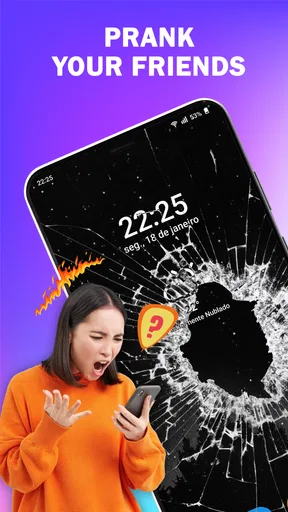
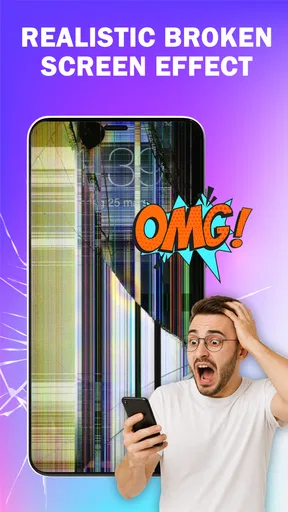
So, what exactly is this app? At its core, it is designed to simulate a cracked-screen effect on your phone. Sounds simple, right? But the realism in those graphics is uncanny. The moment I activated it, I felt a momentary jolt of panic, thinking I had actually dropped my phone.
The app is available for both Android and iOS, making it accessible to almost everyone. Setting it up is as easy as downloading the app, selecting your preferred screen crack effect, and voilà! You’re ready to start pranking.
Playing the Prank
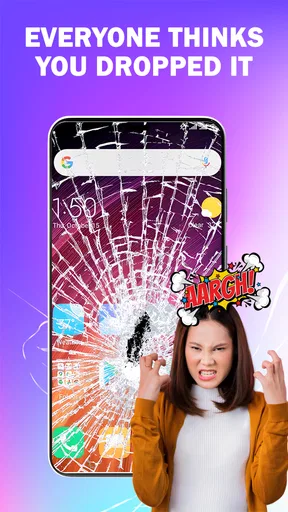
Now, onto the fun part—using it! I decided to test this on a couple of unsuspecting friends. The app gives you a range of cracking effects to choose from, which you can activate with a simple tap. The reactions were priceless! My friends were convinced that my phone had taken a serious tumble. The combination of sound effects and visuals really sells the illusion.
If you want to get creative, you can even set it up to activate on a timer or when you shake your phone. This adds an extra layer of believability that makes the prank even more convincing.
User Experience
The interface is super intuitive. Navigating through the app is a breeze, even for those who might not be the most tech-savvy. The app’s simplicity is its charm; you don’t need to jump through hoops to get it running. Plus, the app doesn’t hog your phone’s resources, which is a huge plus for anyone worried about battery drain.
However, a word of caution—make sure to let your friends in on the joke after a while. I learned this the hard way when a friend almost started offering to pay for a screen replacement, thinking it was the real deal!
What Sets It Apart
There are quite a few apps out there that offer similar functionality, but what makes it stand out is the attention to detail in its effects. The cracks look almost 3D, and the sound effects are spot-on. It’s these small details that elevate the experience from a simple gag to a realistic prank.
Another cool feature is the ability to customize the crack patterns. Whether you want a subtle hairline fracture or a dramatic spider web crack, this app has got you covered.
Final Thoughts
Overall, it is a fun, light-hearted app that offers a quick laugh and a moment of shock for those around you. It’s perfect for a harmless prank, and the level of detail is impressive for a free app. If you’re looking to spice up your day with a little humor, I’d say give it a shot.
Just remember to have your camera handy to capture those hilarious reactions!
Privacy and Permissions
See what permissions an app requests and how it handles your data.
- Camera
- take pictures and videos
- Wi-Fi connection information
- view Wi-Fi connections
- Other
- view network connections, full network access, set wallpaper, draw over other apps, control vibration, prevent device from sleeping, Google Play license check
Verdict
Strengths of Broken Screen: Magic Wallpaper
- Realistic broken screen effects
- Easy to use and navigate
- Customizable settings available
- Lightweight and doesn't drain battery
- Fun for pranks and jokes
Limitations of Broken Screen: Magic Wallpaper
- Ads can be intrusive at times
- Limited wallpaper customization
- No support for high-res displays
- May not work on older devices
- Lacks frequent updates
Other Releases by TAKA TECHNOLOGY VN CO., LTD
View All
True Mirror: Magnifying Mirror
Beauty4.1
Similar Picks in This Category
View All
Microsoft SwiftKey AI Keyboard
SwiftKey4.3

Wallpapers
Google LLC4.1

Zedge™ Wallpapers & Ringtones
Zedge4.7

Yandex Browser with Alice AI
Direct Cursus Computer Systems Trading LLC4.3

Ringtone Maker:create ringtone
Big Bang Inc.4.7

Fonts Keyboard
Fonts Keyboard3.9
Frequently Asked Questions
What is Broken Screen: Magic Wallpaper and how does it work?
Broken Screen: Magic Wallpaper is a fun and interactive app designed to simulate a cracked screen effect on your phone. When activated, the app overlays a realistic broken screen graphic on your device’s display, making it appear as though your screen is shattered. Users can customize the effect and activate it through various triggers, like shaking the phone.
Is Broken Screen: Magic Wallpaper safe to use on my device?
Yes, Broken Screen: Magic Wallpaper is safe to use. The app does not actually damage your screen or hardware. It simply overlays a visual effect that can be easily turned on or off. Ensure you download it from a reputable source, like the Google Play Store or Apple App Store, to avoid unofficial versions.
Does Broken Screen: Magic Wallpaper consume a lot of battery?
Broken Screen: Magic Wallpaper is designed to be lightweight and efficient, so it should have minimal impact on your device’s battery life. However, if you notice significant battery drain, you can adjust the app’s settings or limit its usage to preserve battery. Closing the app fully when not in use will also help conserve energy.
Can I use Broken Screen: Magic Wallpaper on both Android and iOS devices?
Yes, Broken Screen: Magic Wallpaper is available for both Android and iOS devices. Ensure your device meets the app’s compatibility requirements by checking the app details in the respective app store. The user experience and features may vary slightly between platforms, but the core functionality remains the same.
Are there any in-app purchases or ads in Broken Screen: Magic Wallpaper?
Broken Screen: Magic Wallpaper may include advertisements and in-app purchases. Ads help support the free version of the app, while in-app purchases can offer additional features or remove ads. Review the app’s store listing for detailed information on the available purchases and decide if the free version meets your needs.
